Obtaining API keys
To get the API key and to access the other features of swiftchat platform, you need to have a merchant account.
Tip
Create your merchant account using this Post API
Complete business KYC and email varification
Follow these steps to get API key:
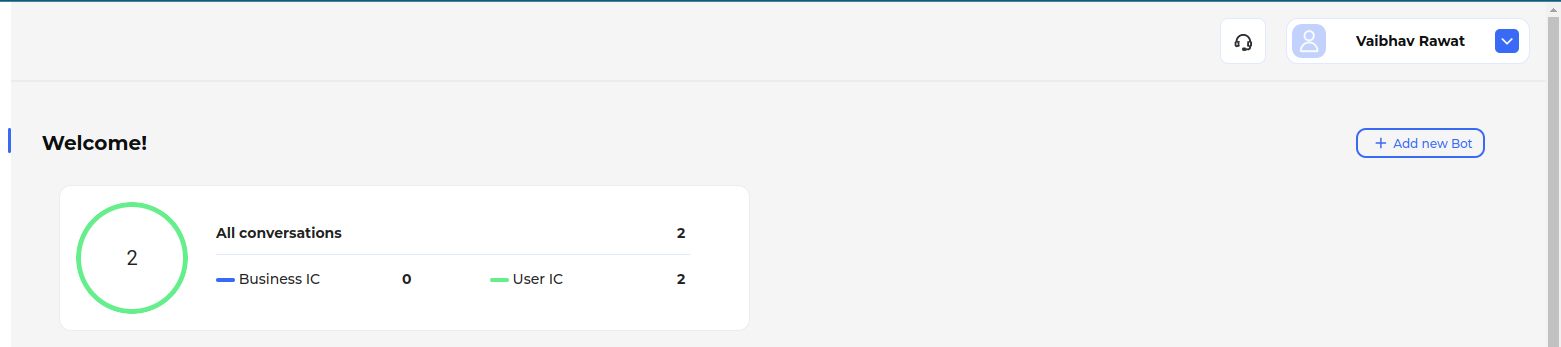
Open the SwiftChat Merchant Dashboard
Login to dashboard with your merchant credentials
Click on profile settings tab and open Manage Account
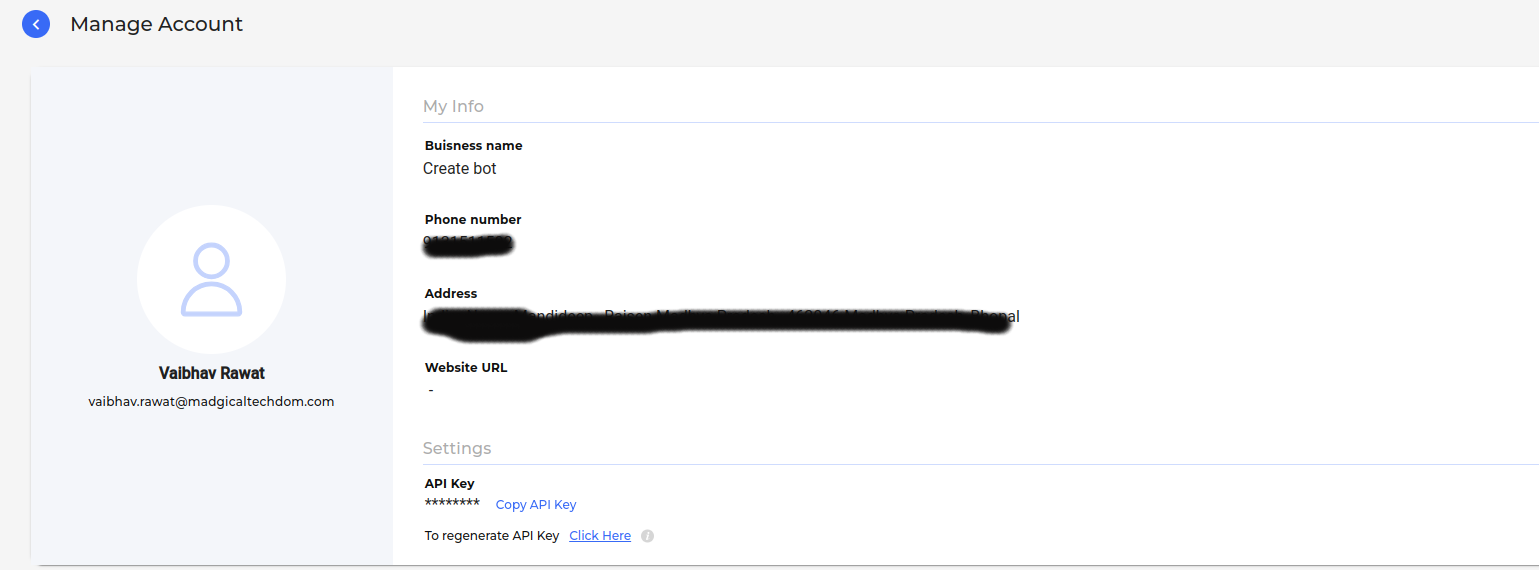
In Manage Account page you will get the API key at the bottom of page. You can copy the API key from there or create a new one.
Tip
You can also get the API key using the GET API